.jpg)
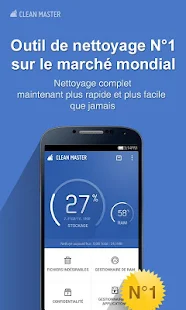
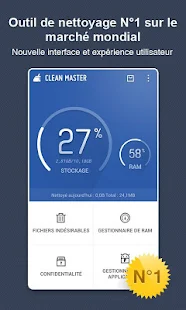
Clean Master is a Free, top-rated all-in-one cleaner app for Android™ devices.


Size: 7.9 MB
Android Requires : 2.1+
More Info on Google Play:
https://play.google.com/store/apps/details?id=com.cleanmaster.mguard
Tutorials: HOW TO Install APK Files on Android Device?
Whats New
4.0.0.703
1. Fixed lag issue on the 3rd image of the introduction slides.
2. Brought back the previous widget’s color and text you wanted.
3. Added checkbox and cleaning advice in Junk files (Standard).
4. Added a backup button in App Manager.
5. Added a hint on the main page, for you to tap and see storage detail information
About Clean Master (Cleaner) - FREE
Most downloaded Android Cleaner and Ram Booster in the world from a top 10 global developer.
☆Over 50 million users, supporting 30 languages.
☆#1 Cache Cleaner App & Android Speed Booster in over 50 countries.
☆Featured by CNET, LA Times, The Boston Globe, XDA & much more.
☆#1 App in the Utilities category in the world.
Trusted by 50 million users and growing, Clean Master is the number 1 powerful memory booster and trash cleaner to increase the speed of your Android device.
Memory Boost/Task Killer - Boosting apps and games speed is much easier with Clean Master.
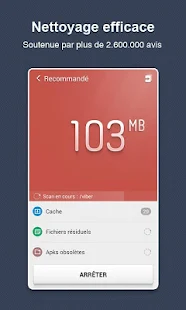
Clean - Delete those junk files (cache and residual) that take up valuable storage space
Clear - Protect your privacy by deleting personal information like your search and browser history
App Management - Move apps to an SD card, remove pre-installed apps and backup .apk files
"Apps on a phone gradually eat up memory and the life of your device as its cache fills up. To clean that out, the Clean Master app for Android devices finds the cached files generated by the apps that are hogging your storage, and it helps get rid of them." - Los Angeles Times
"Android: If youre running low on space on your Android device, Clean Master makes it easy to identify whats hogging your storage, and helps you get rid of it." - LifeHacker.com
"If you want to get your Android device clean and free of junk files, head on over to Clean Master." - XDA-Developers.com
Over 50,000,000 people already installed Free Clean Master. Join them now see what it can do for you:
[Junk Files] - Clean Cache and Residual Files
On Android devices, cache and residual files can build up and occupy gigabytes of your phone’s space. Cleaning junk files can help free up memory on your device and SD card.
[Memory Boost] - Increase memory and speed up your device
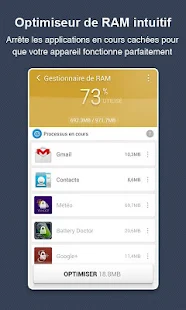
Tasks running in the background not only occupy system RAM, but also waste your battery life. Memory Boost can stop other apps that are running in the background and free up more RAM to speed up your Android device. This includes a shortcut called "1 Tap Boost", easily accessible from your home screen. Running Android apps and play games faster ever than before!
[Privacy] - Delete History
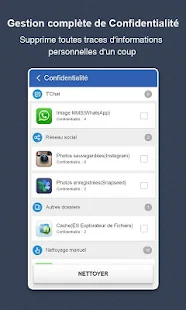
Privacy is important and many of your apps silently record your personal data, such as your web browser data, Google search history, and more. Clean Master can erase this information and keep your personal data secure.
[App Manager] - Uninstaller, Backup, Move to SD
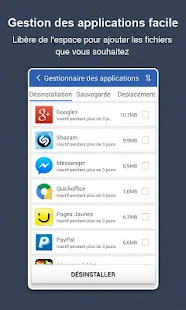
An uninstaller that is an improvement over the default Android version, which is also able to create backup .apk files. Some rooted users will also be able to move apps to their SD card as well as uninstall pre-installed and system apps.
[Widget] - Memory Booster Widget
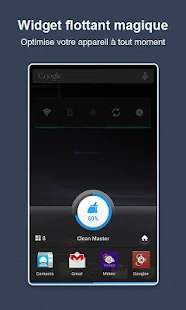
A handy widget that allows you to instantly boost your phone’s memory from a easy widget. To enable the widget, just touch the homescreen with a long hold until a window appears, then scroll down and select the Clean Master Widget.
Language Support
------------------------------------------
Localized in Deutsch, Español, Français, Indonesian, Italiano, Magyar, Português, Română, Slovenčina, Thai, Tiếng Việt, Türkçe, Eλληνικά, Pусский, Українська, עברית, 한국어, 中文 (简体), 中文 (繁體), 日本語, العربية, Nederlands, Norsk, Polski, Hrvatski, čeština, हिंदी.
------------------------------------------


Most downloaded Android Cleaner and Ram Booster in the world from a top 10 global developer.
☆Over 50 million users, supporting 30 languages.
☆#1 Cache Cleaner App & Android Speed Booster in over 50 countries.
☆Featured by CNET, LA Times, The Boston Globe, XDA & much more.
☆#1 App in the Utilities category in the world.
Trusted by 50 million users and growing, Clean Master is the number 1 powerful memory booster and trash cleaner to increase the speed of your Android device.
Memory Boost/Task Killer - Boosting apps and games speed is much easier with Clean Master.
Clean - Delete those junk files (cache and residual) that take up valuable storage space
Clear - Protect your privacy by deleting personal information like your search and browser history
App Management - Move apps to an SD card, remove pre-installed apps and backup .apk files
"Apps on a phone gradually eat up memory and the life of your device as its cache fills up. To clean that out, the Clean Master app for Android devices finds the cached files generated by the apps that are hogging your storage, and it helps get rid of them." - Los Angeles Times
"Android: If youre running low on space on your Android device, Clean Master makes it easy to identify whats hogging your storage, and helps you get rid of it." - LifeHacker.com
"If you want to get your Android device clean and free of junk files, head on over to Clean Master." - XDA-Developers.com
Over 50,000,000 people already installed Free Clean Master. Join them now see what it can do for you:
[Junk Files] - Clean Cache and Residual Files
On Android devices, cache and residual files can build up and occupy gigabytes of your phone’s space. Cleaning junk files can help free up memory on your device and SD card.
[Memory Boost] - Increase memory and speed up your device
Tasks running in the background not only occupy system RAM, but also waste your battery life. Memory Boost can stop other apps that are running in the background and free up more RAM to speed up your Android device. This includes a shortcut called "1 Tap Boost", easily accessible from your home screen. Running Android apps and play games faster ever than before!
[Privacy] - Delete History
Privacy is important and many of your apps silently record your personal data, such as your web browser data, Google search history, and more. Clean Master can erase this information and keep your personal data secure.
[App Manager] - Uninstaller, Backup, Move to SD
An uninstaller that is an improvement over the default Android version, which is also able to create backup .apk files. Some rooted users will also be able to move apps to their SD card as well as uninstall pre-installed and system apps.
[Widget] - Memory Booster Widget
A handy widget that allows you to instantly boost your phone’s memory from a easy widget. To enable the widget, just touch the homescreen with a long hold until a window appears, then scroll down and select the Clean Master Widget.
Language Support
------------------------------------------
Localized in Deutsch, Español, Français, Indonesian, Italiano, Magyar, Português, Română, Slovenčina, Thai, Tiếng Việt, Türkçe, Eλληνικά, Pусский, Українська, עברית, 한국어, 中文 (简体), 中文 (繁體), 日本語, العربية, Nederlands, Norsk, Polski, Hrvatski, čeština, हिंदी.
------------------------------------------