Pages

Tampilkan postingan dengan label galaxy. Tampilkan semua postingan

Minggu, 05 Januari 2014

How to Root Galaxy Note 3 U S Cellular SM N900R4 on Android 4 3 Jelly Bean Firmware

The U.S. Cellular users of Samsung Galaxy Note 3 with model number SM-N900R4 who have already installed their devices with Android 4.3 Jelly Bean, may root their devices using the tutorial below.

This tutorial uses CF-Auto-Root file released by Elite Recognized XDA-Developers, Chainfire. The CF-Auto-Root file allowing Galaxy Note 3 users to root their devices easily without depending on the firmware. It completely supports Android 4.3 Jelly Bean and future firmware as well. Head over to the CF-Auto-Root main thread to learn more about the root method.

Disclaimer: Rooting voids the warranty of your device. We and the developer of this rooting procedures shall not be held responsible if any undesirable outcomes may happen to your device. use of this root guide is solely at your own risk!

Pre-requisites
1. Install USB Driver for Samsung Galaxy Note 3 on the computer.
2. Enable USB Debugging Mode on the phone by navigating to Settings >> Developer Options.
3. Make a backup of all your important data before following the guide.
4. Ensure the battery of the phone is charged more than 80 percent.
5. The CF-Auto-Root file works only on the U.S. Cellular version of Samsung Galaxy Note 3 (SM-N900R4). Applying this to any incorrect variant might brick the device. Verify the model number of the Galaxy Note 3 by navigating to Settings >> About Phone.

File Required
1. CF-Auto-Root for Galaxy Note 3 (U.S. Cellular) SM-N900R4 (CF-Auto-Root-hlteusc-hlteusc-smn900r4.zip)
2. Odin 3.07

Steps to Root Galaxy Note 3 (U.S. Cellular) SM-N900R4 Running on Android 4.3 Jelly Bean Firmware
Step 1: Extract CF-Auto-Root and Odin 3.07 files using winrar/7zip/winzip or any other extracting tool.
Step 2: Switch off the Galaxy Note 3. Then boot the device into Download Mode by pressing and holding Volume Down, Home and Power buttons together until a construction Android robot icon with a warning triangle appears on screen. Now press the Volume Up button to enter Download Mode.
Step 3: Launch Odin on the computer as an Administrator.
Step 4: Connect the Galaxy Note 3 to the computer using USB cable while it is in the Download Mode. Wait until Odin detects the device. When the device is connected successfully, the ID: COM box will turn to light blue with the COM port number. Additionally, the successful connected will be indicated by a message saying Added.

Note: If the Added message does not appear, then try re-install USB drivers or changing the port on the computer.

Step 5: In Odin, click the PDA button and select the CF-Auto-Root-hlteusc-hlteusc-smn900r4.tar.md5 file.
Step 6: Verify that Auto Reboot and F.Reset Time checkboxes are selected in Odin. Also, ensure the Re-Partition option is NOT selected.
Step 7: Double-check and click Start button in Odin. The installation process will now begin.
Step 8: Once the installation process is completed, your phone will restart and soon you will see a PASS message with green background in the left-most box at the very top of the Odin. You can now unplug the USB cable to disconnect your device from the computer.

Samsung Galaxy Note 3 (U.S. Cellular) SM-N900R4 running on Android 4.3 Jelly Bean firmware is now rooted successfully. You can now install any app that requires root permission. Verify the root status of the device by downloading Root Checker app from Google Play Store.

Thanks to all fellas at XDA who first tried out this rooting technique. This method was originally posted via XDA-Developers original thread.
Read More..

Rabu, 21 Agustus 2013

Games Galaxy on Fire 2� THD


Galaxy on Fire 2� THD, the critically acclaimed and multi award-winning outer space epos for mobile devices, has been heavily optimized to utilize the eight core rendering power of Tegra�s GeForce GPU, bringing console-gaming quality to mobile devices.


Catapulted into a war-torn future, eminent space adventurer Keith T. Maxwell finds the galaxy at the mercy of a powerful alien race. Uncovering the truth about this dangerous species, he boldly takes the fight to their doorstep. Join Keith in an intergalactic trek of exploration, pirates, space battles, weird aliens and romance.

GAMEPLAY 
Featuring a living galaxy with over 20 inhabited solar systems and 100 space stations, Galaxy on Fire 2� THD allows you to travel using hyperspace and wormholes to visit the far reaches of this war-torn galaxy in full console-style graphics.


Follow the rich and engrossing storyline for over 10-hours of action-packed gameplay, or head off at any time on an interplanetary journey of your own design; mining asteroids, trading ore and supplies, taking on mercenary missions, working as a pirate and manufacturing new weapons and equipment.
Buy and customize more than 30 different types of space ship to aid you in a variety of heart-pounding missions, including escorting convoys under pirate attack, capturing intergalactic criminals, rescuing alien VIPs, transporting valuable goods between systems, commanding mercenaries on dangerous tactical assignment, and recovering alien technology from distant parts of the galaxy.

SPACE ADVENTURE WITHOUT RISK
The current reference title in the Sci-Fi genre is available free to download from the Tegra� Zone app on the Android Market and can be played for unlimited time offering full functionality within the first solar system. To access the whole galaxy with over 20 solar systems and to complete the six to ten hours, fully voice acted storyline, you have to unlock the game via in-app purchase.


How to install:
1. root your galaxy y or any qvga android device. if u dont know wat is rooting or how its to be done then click HERE
2. download the APK file 
3. download the data for sd card 
4. extract the data folder and copy the files to- sd card/android/data/..here
5. paste the apk file anywhere on your sd card then install it.
6. start Chain Fire 3D 
7. go to "default open gl settings" and tik- "reduce texture quality" and also tik- "reduce texture size", then go to use plugins (right under "reduce texture size) and select "QUALCOMM"
8. minimize chain fire 3D
9. start the game and ENJOY!!!!


FEATURES 
� A huge galaxy with over 20 solar systems and beautifully rendered planets 
� 100 unique 3D space stations and more than 30 customizable space ships 
� Unique reputation and diplomacy system 
� Story-based, mission-based and free gameplay 
� Complex trading system with over 170 different commodities of all kinds 
� High quality visuals and music, full voice acting (English) and 3D sound 
� Action Freeze�: 3D screenshot tool to save screenshots from any perspective
� Supports up to full native 1280 x 800 pixels resolution


.

Read More..

Senin, 24 Juni 2013

Galaxy Sparkle LW v1 1

Galaxy Sparkle LW v1.1


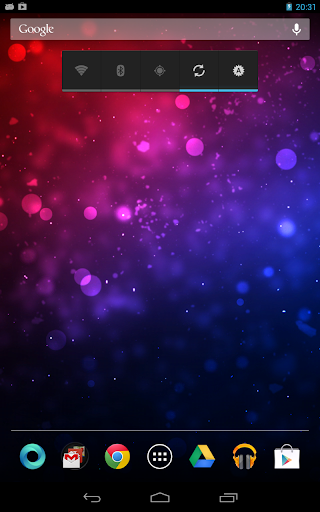
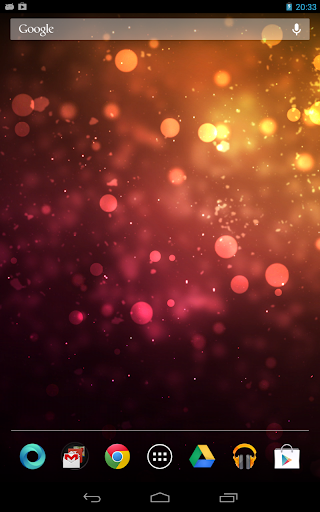
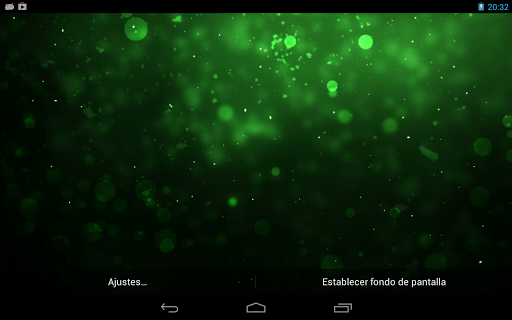
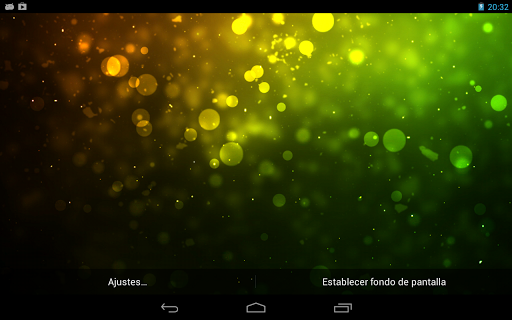
Galaxy Sparkle is a Live Wallpaper where particles moving through screen and overlay the background image to get a very elegant effect!

Galaxy Sparkle LW Full
play.google.com.galaxysparklefull

Move your finger across the screen to create more particles are fired.
Galaxy Sparkle OpenGL and just consumes power.

Full Version:
The full version includes 12 new backgrounds.

Configuration Options:
Change Background (12 in full version)
Max particles
Particle velocity

To set the background
Home -> Menu -> Wallpaper -> Live Wallpaper -> Galaxy Sparkle

What’s in this version : (Updated : May 29, 2013)
Added 3 backgrounds.

Required Android O/S : 2.2+

Screenshots :


Read More..