Pages

Tampilkan postingan dengan label root. Tampilkan semua postingan

Minggu, 05 Januari 2014

How to Root Galaxy Note 3 U S Cellular SM N900R4 on Android 4 3 Jelly Bean Firmware

The U.S. Cellular users of Samsung Galaxy Note 3 with model number SM-N900R4 who have already installed their devices with Android 4.3 Jelly Bean, may root their devices using the tutorial below.

This tutorial uses CF-Auto-Root file released by Elite Recognized XDA-Developers, Chainfire. The CF-Auto-Root file allowing Galaxy Note 3 users to root their devices easily without depending on the firmware. It completely supports Android 4.3 Jelly Bean and future firmware as well. Head over to the CF-Auto-Root main thread to learn more about the root method.

Disclaimer: Rooting voids the warranty of your device. We and the developer of this rooting procedures shall not be held responsible if any undesirable outcomes may happen to your device. use of this root guide is solely at your own risk!

Pre-requisites
1. Install USB Driver for Samsung Galaxy Note 3 on the computer.
2. Enable USB Debugging Mode on the phone by navigating to Settings >> Developer Options.
3. Make a backup of all your important data before following the guide.
4. Ensure the battery of the phone is charged more than 80 percent.
5. The CF-Auto-Root file works only on the U.S. Cellular version of Samsung Galaxy Note 3 (SM-N900R4). Applying this to any incorrect variant might brick the device. Verify the model number of the Galaxy Note 3 by navigating to Settings >> About Phone.

File Required
1. CF-Auto-Root for Galaxy Note 3 (U.S. Cellular) SM-N900R4 (CF-Auto-Root-hlteusc-hlteusc-smn900r4.zip)
2. Odin 3.07

Steps to Root Galaxy Note 3 (U.S. Cellular) SM-N900R4 Running on Android 4.3 Jelly Bean Firmware
Step 1: Extract CF-Auto-Root and Odin 3.07 files using winrar/7zip/winzip or any other extracting tool.
Step 2: Switch off the Galaxy Note 3. Then boot the device into Download Mode by pressing and holding Volume Down, Home and Power buttons together until a construction Android robot icon with a warning triangle appears on screen. Now press the Volume Up button to enter Download Mode.
Step 3: Launch Odin on the computer as an Administrator.
Step 4: Connect the Galaxy Note 3 to the computer using USB cable while it is in the Download Mode. Wait until Odin detects the device. When the device is connected successfully, the ID: COM box will turn to light blue with the COM port number. Additionally, the successful connected will be indicated by a message saying Added.

Note: If the Added message does not appear, then try re-install USB drivers or changing the port on the computer.

Step 5: In Odin, click the PDA button and select the CF-Auto-Root-hlteusc-hlteusc-smn900r4.tar.md5 file.
Step 6: Verify that Auto Reboot and F.Reset Time checkboxes are selected in Odin. Also, ensure the Re-Partition option is NOT selected.
Step 7: Double-check and click Start button in Odin. The installation process will now begin.
Step 8: Once the installation process is completed, your phone will restart and soon you will see a PASS message with green background in the left-most box at the very top of the Odin. You can now unplug the USB cable to disconnect your device from the computer.

Samsung Galaxy Note 3 (U.S. Cellular) SM-N900R4 running on Android 4.3 Jelly Bean firmware is now rooted successfully. You can now install any app that requires root permission. Verify the root status of the device by downloading Root Checker app from Google Play Store.

Thanks to all fellas at XDA who first tried out this rooting technique. This method was originally posted via XDA-Developers original thread.
Read More..

Sabtu, 03 Agustus 2013

APP ROOT SG USB Mass Storage Enabler

SG USB Mass Storage Enabler allows you to export your microSD card over USB as a Mass Storage device. It will never be able to export the internal storage on the device.

I originally made this app for myself for the SGS3, as I needed some more flexibility in mounting/unmounting than Easy UMS offered. However, I backed out from releasing it as I thought it wasnt a nice gesture towards Easy UMSs dev.

Features:

  • Allows you to use your microSD card as a USB Mass Storage device.
  • Shortcuts on your homescreen to easily enable/disable USB Mass Storage mode.
  • Warns the user if they try to disable Mass Storage mode without unmounting/ejecting on the PC side.
Tested working on:
Samsung Galaxy Note II (GT-N7100)
Samsung Galaxy SIII (GT-I9300)
Samsung Grand Duos (GT-I9082) - Thanks to wan Mohd in Play Store reviews.
Samsung Galaxy S4 (GT-I9500) - Thanks to taiseer999 in the replies below.
Samsung Galaxy S4 (GT-I9505) - Thanks to Solomon Chow in Play Store reviews.
Samsung Galaxy S4 (SGH-I337) - Thanks to Delyan Georgiev in Play Store reviews.


Screenshots:


The application is free, ad-supported*, and open source: https://github.com/MohammadAG/galaxy...torage-enabler
*Ads can be disabled using a simple checkbox in the Action Bar menu.

Download:
Get it from the Play Store!
Read More..

Rabu, 26 Juni 2013

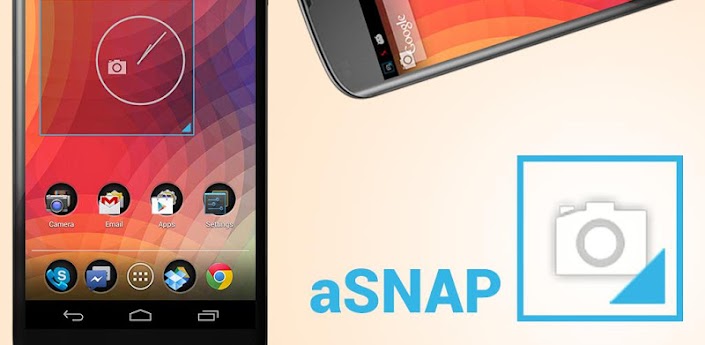
aSNAP Pro v1 0 1 ROOT Apk Full App

[ROOT] aSNAP Pro v1.0.1
Requirements: Android 4.0.3+, ROOT
Overview: aSNAP – A lightweight & snappy screenshot app
 
aSNAP lives up to its name; this application is lightweight, extremely snappy, functional, and easy to use. It doesn’t have a large interface, but within the tiny user interface is a screen capturing workhorse. This application requires root for its underlying workings.
Features
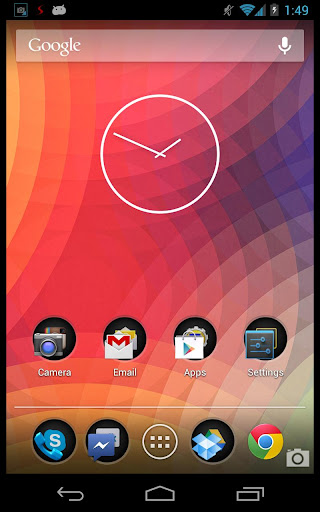
- Floating screen capture icon
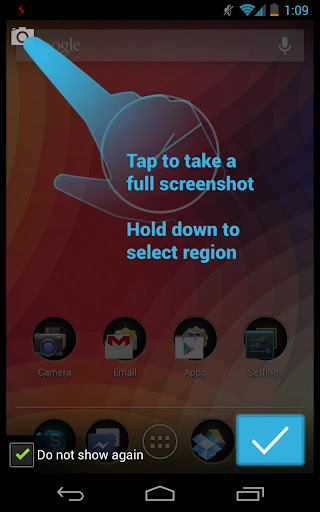
- Tap icon to take a screenshot
- Hold icon to select a region to screenshot
- Extremely intuitive, fast, and functional
- Ability to save, share, or discard the screenshot
- Adds the screenshot to the gallery
- Requires root!
The purpose of aSNAP is lightweightedness; its ability to quickly snap a part of the screen and share it is key to it’s functionality and a fundamental reason behind its development
Over the course of the near future, aSNAP will be in development and new features will be added such as extensive settings and new functions.

https://play.google.com/store/apps/details?id=mohammad.adib.asnap
Download Zippyshare
Read More..

Titanium Backup ★ root Pro v6 0 5 apk download


Titanium Backup Pro
Requirements:- Android 1.5 and up, root
Overview:-
Titanium Backup is the most powerful backup tool on Android, and then some.
You can backup, restore, freeze (with Pro) your apps + data + Market links. This includes all protected apps & system apps, plus external data on your SD card. You can do 0-click batch & scheduled backups. Backups will operate without closing any apps (with Pro). You can move any app (or app data) to/from the SD card. You can browse any apps data and even query the Market to see detailed information about the app.
Also see the paid PRO key which adds EVEN MORE awesome features such as:
[?] 0-click batch restores
[?] Keep multiple backups per app
[?] Backup/restore SMS,MMS,calls,bookmarks,Wi-Fi AP as XML
[?] Multi-user app data
[?] Apps freezer
[?] Sync to/from Dropbox (manual/scheduled)
[?] Sync to/from Box (manual/scheduled)
[?] Sync to/from Google Drive (manual/scheduled)
[?] TB Web Server: download/upload your backups as a single ZIP on your computer
[?] Convert user apps <=> system apps
[?] Integrate system app updates into ROM
[?] Encryption
[?] Market Doctor (relink apps to Market)
[?] "Destroy all Market links" feature
[?] Hypershell speed
[?] Backup apps without closing them!
[?] Create your own update.zip containing apps+data!
[?] Restore individual apps+data from non-root ADB backups!
[?] Restore individual apps+data from CWM backups!
[?] Restore individual apps+data from TWRP backups!
[?] Market "auto updating" manager
[?] Dalvik cache cleaner
[?] Integrate Dalvik cache system elements into ROM
[?] Unlimited schedules
[?] Load/Save a Filter and use it in Widgets/Schedules
[?] Change the devices Android ID, restore it from a backup or after a factory reset
[?] Protect backup against deletion
[?] Send backup (to e-mail/cloud) and import it in 1 click
[?] Backup?Verify?Un-install an app in one shot
[?] Freeze/defrost/launch apps in a single click
[?] CSV export any app DB (e-mail or Google Docs)
[?] Convert app data to/from fast WAL format
[?] WAY MORE!

******************
Google Play Store
Cost:- $6.10 or Rs.329.12

Download Full Version Here:-

File size:- 2.8mb

Instructions:-

#Install Titanium Backup APK
#Copy TitaniumBackup_license.txt to sdcard/   (not in any folder. just paste directly w/o modifying the file)

#Run Titanium Backup and verify that your registration information is displayed.
#If not uninstall and install Titanium Backup APK.
Read More..

Minggu, 23 Juni 2013

Hexamob Recovery PRO ROOT Full v3 5 apk

Hexamob Recovery PRO * ROOT * Full v3.5.apk. Recovery depends on the state of the data blocks of the deleted files. Deleted files with overwritten data blocks will not be recovered. Features : * Support Android 2.3.x (gingerbread) or later. * Compatible with smartphones and tablets. * Support many file types. * Support vfat and ext2,ext3,ext4 filesystems. * Support USB storage devices.


Mirror

Read More..